Episode 34 - Pinball Wizard
Welcome to the show
Published: July 6, 2026
In this episode, Tod and Paul discuss a new CircuitPython IDE, a new selling platform for makers, Space Cadet Pinball, and more.
Follow the show on Mastodon or Bluesky.
We have stickers! Request a free sticker here. (US Only, sorry!)
Full transcript available here.
Listen to the podcast
Show Notes
00:19 RV Circuit Studio version 1.0 (Paul #1)
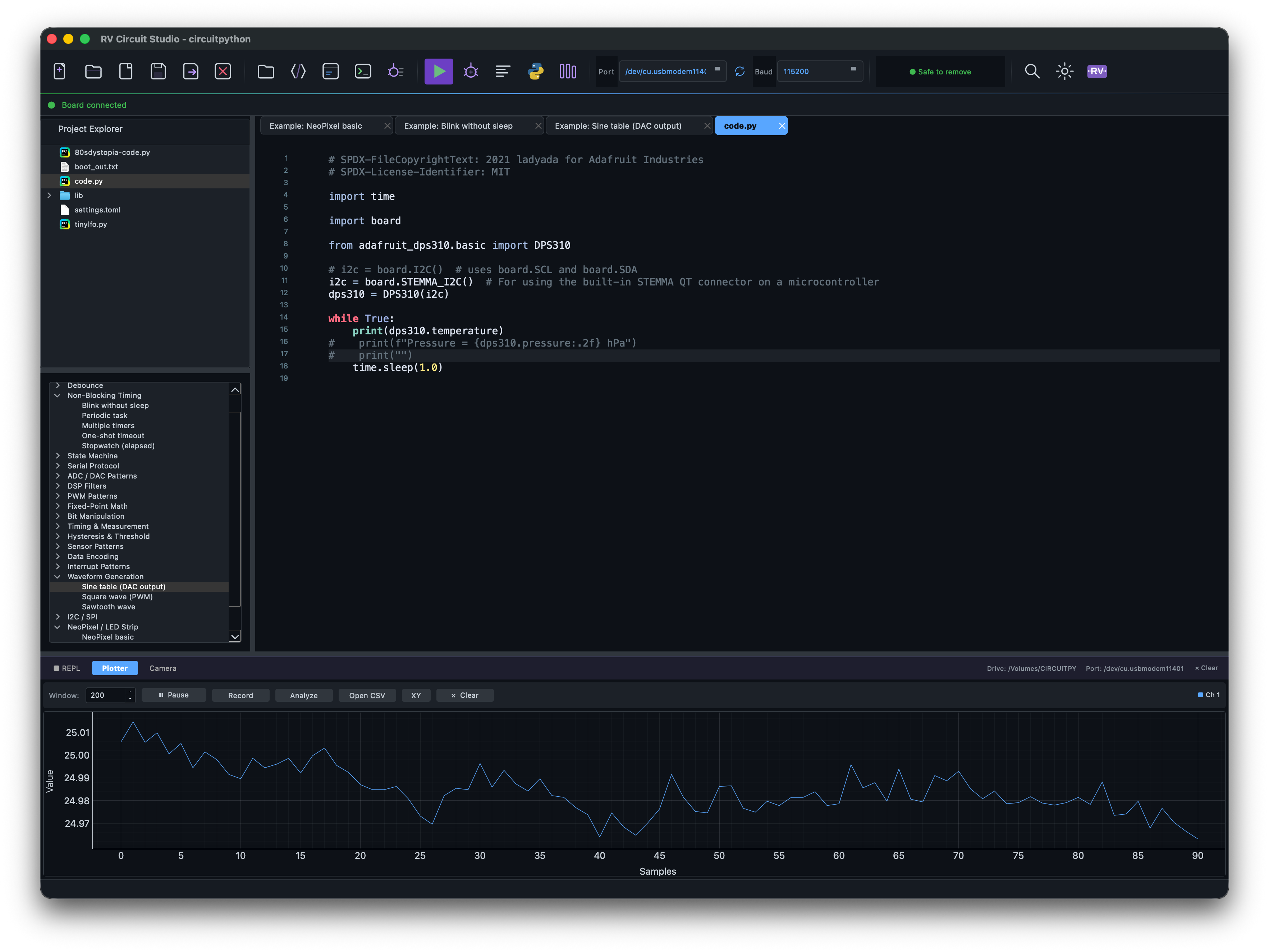
RV Circuit Studio is a new IDE for CircuitPython, which has a goal of being a replacement for Mu. It features a code editor, the REPL, a serial plotter, and more. RV Circuit Studio is available for Mac, Windows, and Linux.
4:20 SmallRun.net, Tindie, Lectronz, and the curse of being a production maker (Tod #1)
I have a little Tindie store that sells fun PCBs for learning
captouch sensors, playing with MIDI, or making your own synthesizers.
I loved Tindie. It was owned by Hackaday and run by people who understood the needs of
the small production maker. "Etsy for electronics" is how I described it
to my more normie friends. It was great. But over the years it languished and then
suddenly last April, it went offline for several weeks. When it came back,
we learned it was sold to an unknown entity and disbursement payouts were disabled.
There are two other markets for makers out there: Lectronz.com and now SmallRun.net.
Over the last few days, I've been chatting with Aron, the person running SmallRun.net,
and I must say it's looking pretty great.
The Tindie outage and sale was a real wake up call. Many larger makers ran their entire operation from Tindie. The outage cost them thousands of dollars in business. No payouts meant they had maybe tens of thousands of dollars locked up unusable, maybe never retrievable. Tindie now apparently has "manual disbursement" if you email them. I've still got several hundred locked up in Tindie in a vain hope of them returning to normal, but I am not hopeful. I'm not sure Tindie can recover the lost trust or even if it wants to.
I did start moving my store to Lectronz, a site run from an unknown entity in Greece that caters to EU customers. It seems well-run and has been around for a few years, but after Tindie, I wasn't that jazzed to put in a lot of effort.
And then I learned about SmallRun from you Paul. I poked around, made an account. An interesting aspect of SmallRun is its "build log" pages you can create and link to your products. A sort of built-in blogging system like Hackaday.io but product-focused. This could be a great way to talk about updates and new releases and have them featured on the SmallRun homepage.
One of the most interesting differences with SmallRun is that it has hooks into a shipping label generator so it will generate real-time shipping quotes for customers and labels for you, so you don't have to make shipping profiles for every product and every country, hoping you get it right. I suspect many sellers lose money on shipping because they get shipping profiles wrong.
A few days later, I was contacted via SmallRun on BlueSky and the owner Aron and I had a good chat. I joined the SmallRun Discord. In the seller channel, I saw that other sellers were discussing the various ins-n-outs of selling and no real issues with SmallRun itself. I mentioned to Aron a few small changes that would be useful for me as a seller and he added them as site-wide features within a day. (Those features were the ability to change your store URL after setting it up and the ability to add a small 'handling' charge to shipping quotes to cover the cost of boxes/labels/tape/storage)
I'm starting to move my products to SmallRun in earnest this week. It has a Tindie importer, which is nice, but doesn't get all the info needed, like product dimensions. But it's a great start. Look for all the links to my products to change to SmallRun links in the near future! If you're a seller on Tindie, give SmallRun.net a try. It's easy to put a few products in as a test, and it hooks up to Stripe or Paypal for payouts.
- About SmallRun
- SmallRun FAQ
- SmallRun Discord
- SmallRun on BlueSky
- RetroDisks, Aron's store on SmallRun
- todbot store on SmallRun.net
- todbot store on Lectronz.com
- todbot store on Tindie.com
10:00 Bambuddy, run Bambu Labs 3D printers locally without Bambu Cloud
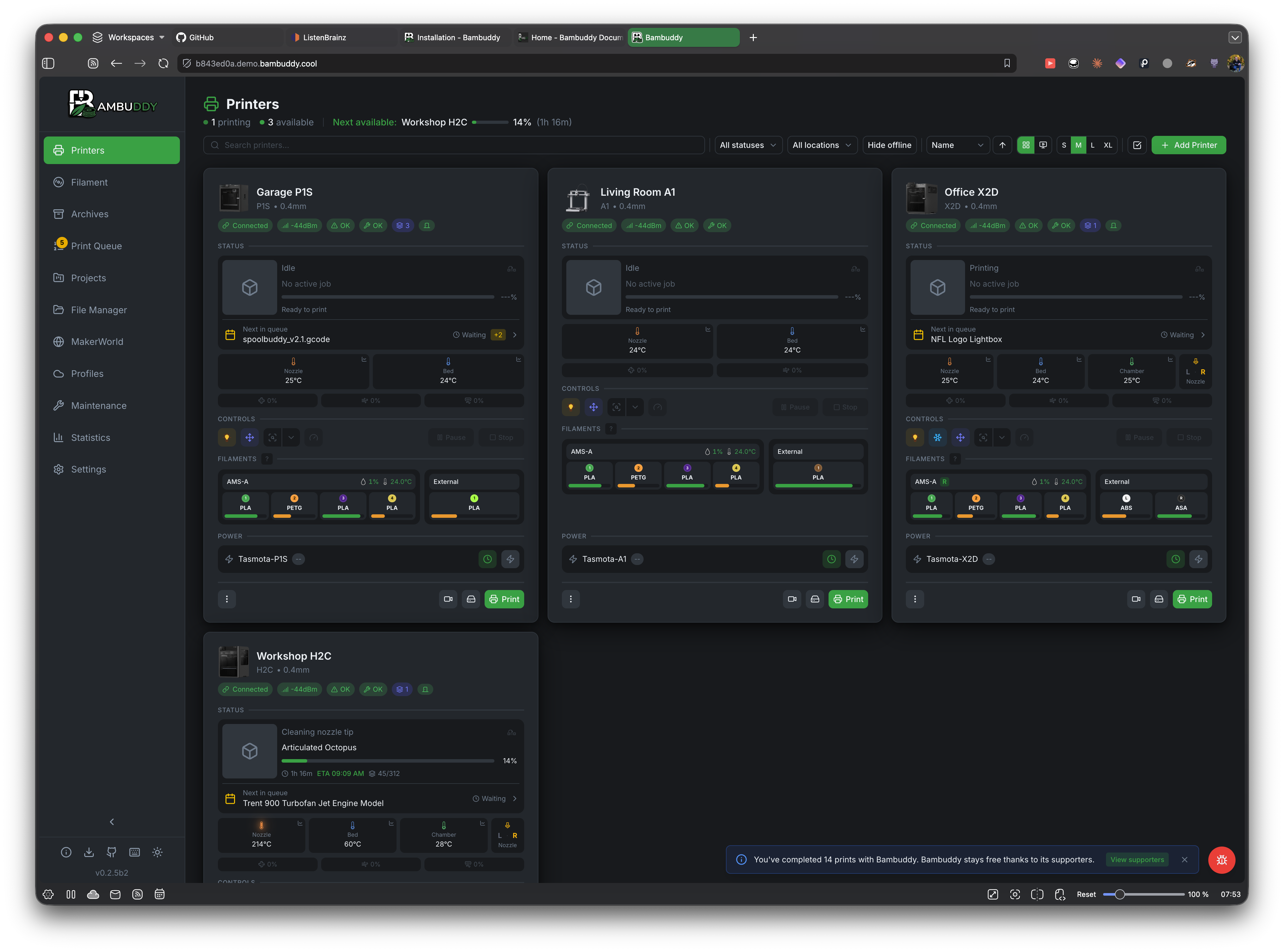
Bambuddy is a self-hosted 3d printing platform for Bambu printers that bypasses Bambu Labs cloud control. You can run it headless on a NAS, mini-PC, or Raspberry Pi. It features a proxy to allow you to print remotely, integrated slicing so you don't need another program / slice;, manage your prints with automatic archiving, duplicate detection, and more; real time monitoring via websockets; multi-printer / print farm support; filament profiles; and more.
13:28 Mechanical Space Cadet Pinball Machine (Tod #2)
Remember the Space Cadet Pinball game on Windows 95?
It was the best part of Windows 95, to me. :)
Youtuber CNCDan is creating a physical version of Space Cadet Pinball in a series of videos, and doing it all with 3D printed parts and easily-aquired standard hardware. And he's making the plans available to everyone. No special pinball-only parts, just regular solenoids, transisors, opto-sensors, neopixels, and other standard maker parts.
Because Space Cadet Pinball was designed as a video game first, he's having some interesting enginering challenges mapping the table to reality. For instance, on the left side of the game, there's raised section with mini pop bumpers. Mini pop bumpers don't exist, so he's designing those from scratch. And he's designing 3d-printable versions of other common pinball mechanisms like flippers, spinners and knock-down targets.
For a pinball nut like me, seeing how these mechanisms work is a lot of fun, but it's also neat seeing how they have to be modified both for 3d printing and to fit the not-quite-real constraints of the Space Cadet Pinball table. And as someone who has struggled to make solenoids do anything useful, seeing these old pinball-style mechanisms adapted and re-enginneered has got me interested in them again.
So far he's uploaded two 18 minute videos showing his progress. He's not just showing the successes but also when things don't quite work out. It's looking like it's going to be a great build.
- CNCDan "I'm building a Space Cadet Pinball Machine" pt1
- CNCDan "I'm building a Space Cadet Pinball Machine" pt2
- Technology Connections video about EM pinball
- Play Space Cadet Pinball online
- Decompilation of Space Cadet Pinball source
16:23 ListenBrainz all the things (Paul #3)
Paul continues to play around with ListenBrainz to track and share all his music listening.
- Listening Post: a macOS app that listens in the background and submits your listening history to Shazam and Last.fm or ListenBrainz
- ListenBrainz widget: Embed an iFrame in a website to show what you're currently listening to
- ListenBrainz autoposter - Every month share your top listens to social media
- ListenBrainz to Bluesky - Automatically update your Bluesky profile with your last listened to track
18:28 BC250, The Budget E-waste Steam Machine (Tod #3)
Feeling bummed you can't build a gaming PC because of stupid component price spikes? Frustrated that Valve's Steam Machine console has also increased in price? Want to finally get something useful out of the cryptocurrency fad a few years ago? If you don't mind doing some work, you can turn a $200 chunk of crypto e-waste into a respectable Steam Machine, thanks to the BC250.
Chris Person writing on aftermath.site recently posted a great article on how to turn the ASRock BC250 into a usable Linux gaming computer. The BC250 is essentially a cut-down PS5 in a server card format. They were used to mine bitcoin but are now no longer useful for that. Like the PS5 they are full of fast GPUs. And most importantly, they have 16 GB of fast RAM soldered down in a way that makes it not easy to salvage. Thus you can find them on ebay for around $100 or around $200 with an attached SSD.
Chris's article goes into good detail about the difficulties of turning a server card into a desktop computer. There's challenges with cooling it and powering it properly and getting Linux on it. Thankfully, there is a vibrant community of hackers with power supply info, cooler designs, 3d-printable cases, and detailed Linux instructions to help you out.
The BC250 is well supported in Fedora and Bazzite, the gaming-focussed Linux distro we've mentioned on a previous episode. And it runs Steam great. And what about the gaming performance? It's on-par or better with the Steam Machine at 1080p for most games!
And then you realize that the BC250 only has 24 GPU cores compared to the 36 in the PS5. But wait, actually it has 40 GPU cores on the board. But those unused cores are turned off and locked. This is usually done for binning purposes so potentially failed chips can still be used. The community has found out how to unlock these cores, qualify them to see if they're good, and if they are, let you use them! You can easily get a 25% performance improvement by running a shell script. Some people get lucky and get all 40 GPU cores qualified and usable. And this is before overclocking, which the BC250 is good on, going above its standard 1500 MHz to up to 2300 MHz.
I am very tempted by the BC250. And I'm also in the queue for a Steam Machine. It's going to be a tough call when I finally have to put down money, I may end up going for a BC250 E-Waste Machine instead.
- Bless The BC250, The Budget E-waste Steam Machine
- $100 Steam Machine GPU Unlocked! PS5 APU (ASRock BC-250)
- BC250 cases on Makerworld
- BC250 wiki